Default setting: “Your latest post”
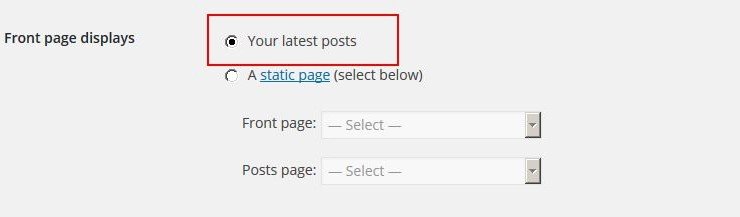
is_front_page() return 1 (true)
is_home() return 1 (true)
This is the template hierarchy only for the index page (the blog page is unknown)
- front-page.php
- home.php
- index.php
Custom setting: “Static page”
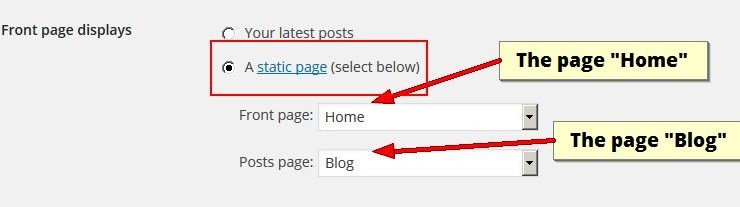
You have to add two new pages (e.g. home and blog), then select them for the front page and posts page.
In front page the conditional tags below will return that:
is_front_page() return 1 (true)
is_home() return ” (null)
And this is the template hierarchy for front page:
- front-page.php
- my-custom-template-page.php
- page.php
- index.php
Instead in the posts page the conditional tags will return that:
is_front_page() return ” (null)
is_home() return 1 (true)
And this is the template hierarchy for posts (blog) page as well:
- home.php
- index.php
But there are other two options you can select, see the image below:
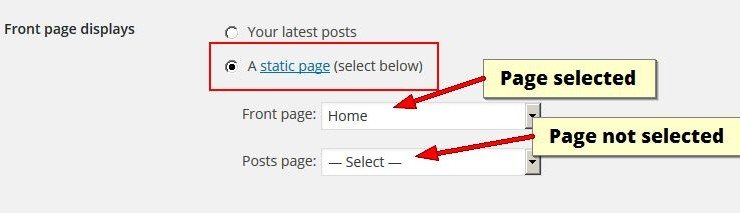
In this case it is selected only the home page and not the posts page, this will return that:
In index page:
is_front_page() return 1 (true)
is_home() return ” (null)
With the same hierarchy files seen above, and in the posts page will return this:
is_front_page() return ” (null)
is_home() return ” (null)
With hierarchy:
- my-custom-template-page.php
- page.php
- index.php
In case home is not selected and posts is selected
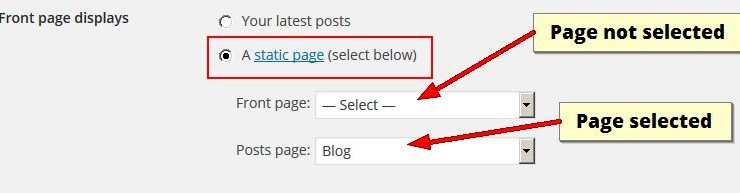
the conditional tags return:
is_front_page() return ” (null)
is_home() return 1 (true)
And the template hierarchy for both pages is that:
- home.php
- index.php
This means that home.php will be displayed if present in both pages.